On this page
Every spare part has a nameplate with crucial details like brand, model, serial number, and specs. These details are vital for ERP systems to manage inventory, plan maintenance, and avoid costly errors. Manual entry of this data is slow, error-prone, and expensive, causing delays, incorrect orders, and inflated inventory costs. AI-powered nameplate recognition solves these problems by extracting accurate data quickly, even from damaged labels, and integrating it directly into ERP systems.
Key Takeaways:
- Manual Data Entry Issues: High error rates (4–5%), slow processing (10–20 minutes per part), and $28,500 annual cost per employee.
- Impact on ERP Systems: Poor data disrupts inventory management, delays maintenance, and adds $15M in annual costs for businesses.
- AI Solution: Tools like AutomaSnap use Vision-Language Models to extract and organize data from nameplate photos in under 2 minutes, reducing errors and improving efficiency.
- Benefits: Faster processing, reduced inventory costs (up to 30%), and better maintenance planning with accurate data.
This technology not only saves time and money but also ensures ERP systems operate smoothly with reliable data.
Common Problems with Spare Parts Data Management
Errors and Slowdowns from Manual Data Entry
Manually typing out complex alphanumeric strings from nameplates is a recipe for errors in ERP systems. Mistakes in article numbers, serial numbers, or type designations are all too common when employees transfer data by hand from physical labels. Even a single typo can mislead technicians and result in incorrect orders.
This process isn’t just error-prone - it’s expensive. Manual entry consumes significant time and resources, often leading to incomplete spare parts lists in the ERP system. Critical components might not even be recorded until something fails. The result? Companies are left scrambling to fill data gaps when it matters most. These errors also contribute to inconsistent or outdated data formats, compounding the problem.
Damaged Nameplates and Non-Standard Formats
Industrial settings are tough on nameplates. Factors like chemical vapors, high humidity, dust, and reflective surfaces often make it difficult to capture accurate records using traditional scanning tools. In chemical plants, for instance, nameplates can become illegible within just a few years. Standard Optical Character Recognition (OCR) tools struggle in these conditions, often failing to interpret the data reliably.
When nameplates are worn, scratched, or corroded, employees are left guessing. Misreading even one character can lead to incorrect part orders and delays in maintenance. These inconsistencies put additional strain on ERP systems and disrupt operations.
Higher Inventory Costs and Operational Delays
All these data issues add up, creating inefficiencies and driving up inventory costs. Poor data quality creates a ripple effect across operations. For example, manufacturers often stock millions of spare parts, yet up to 50% of these haven’t been used in the last three years. This excess inventory ties up capital and inflates storage and procurement costs.
The financial impact is staggering. According to Gartner, poor data quality costs organizations an average of $15 million annually. These losses come from delayed maintenance, emergency shipments for incorrect orders, and the costs associated with excess inventory clogging up warehouse space. These challenges highlight the pressing need for automated tools like AutomaSnap, which can quickly extract and verify data with accuracy.
How Nameplate Recognition Technology Fixes These Issues
AI-Powered Data Extraction from Nameplate Photos
Modern nameplate recognition technology uses Vision-Language Models (VLM) to interpret the context and structure of technical data. For instance, the AI understands that a value next to “kW” refers to power output, while a string under “Serial” serves as a unique identifier. It then categorizes this information directly into the correct ERP fields.
This capability is especially valuable in harsh industrial settings. Neural networks can overcome challenges like glare, dust, vibrations, and even corrosion caused by aggressive vapors. These systems ensure accurate data extraction, even when nameplates are partially damaged.
One example of this technology in action is AutomaSnap, which extracts structured data - such as Brand, MPN, and Serial Number - from ordinary photos taken with a smartphone. This method is a game-changer compared to the traditional, labor-intensive process of manual data entry.
Manual Entry vs. AI Nameplate Recognition
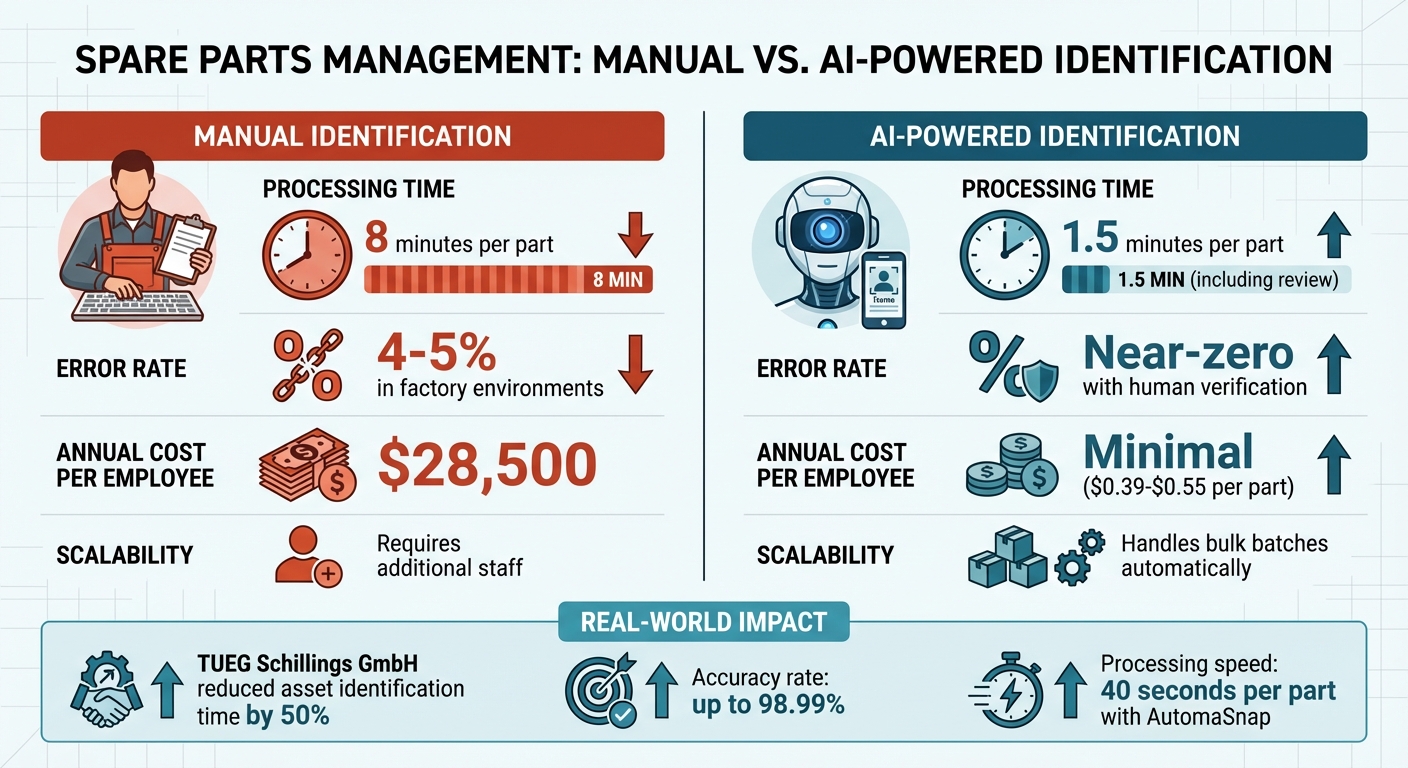
When comparing manual data entry to AI-powered nameplate recognition, the advantages of automation are clear:
| Performance Metric | Manual Identification | AI-Powered Identification |
|---|---|---|
| Processing Time | 8 minutes per part | 1.5 minutes per part (including review) |
| Error Rate | 4–5% in factory environments | Near-zero with human verification |
| Annual Cost per Employee | $28,500 | Minimal ($0.39–$0.55 per part) |
| Scalability | Requires additional staff | Handles bulk batches automatically |
For instance, TUEG Schillings GmbH, a German chemical industry SME, adopted AI-based image processing to identify assets in corrosive environments. Despite dealing with nameplates damaged by aggressive vapors, the company cut asset identification time by 50%.
Better Data Quality for ERP Systems
AI nameplate recognition not only speeds up data collection but also ensures clean, structured data for ERP systems. The process uses a human-in-the-loop approach: AI handles 99% of the data extraction, while humans verify the results through an intuitive interface. This combination significantly reduces the errors that often plague both manual and fully automated systems.
For example, AutomaSnap creates export-ready spreadsheets that integrate seamlessly with ERP platforms like SAP, Odoo, and Dynamics 365. Each record includes the original nameplate photo as visual proof, providing an audit trail for future reference. By delivering accurate, verifiable data from the outset, this technology improves ERP performance and eliminates the “last mile” errors that can disrupt workflows.
ERP Integration with AutomaSnap
Creating ERP-Ready Spreadsheets
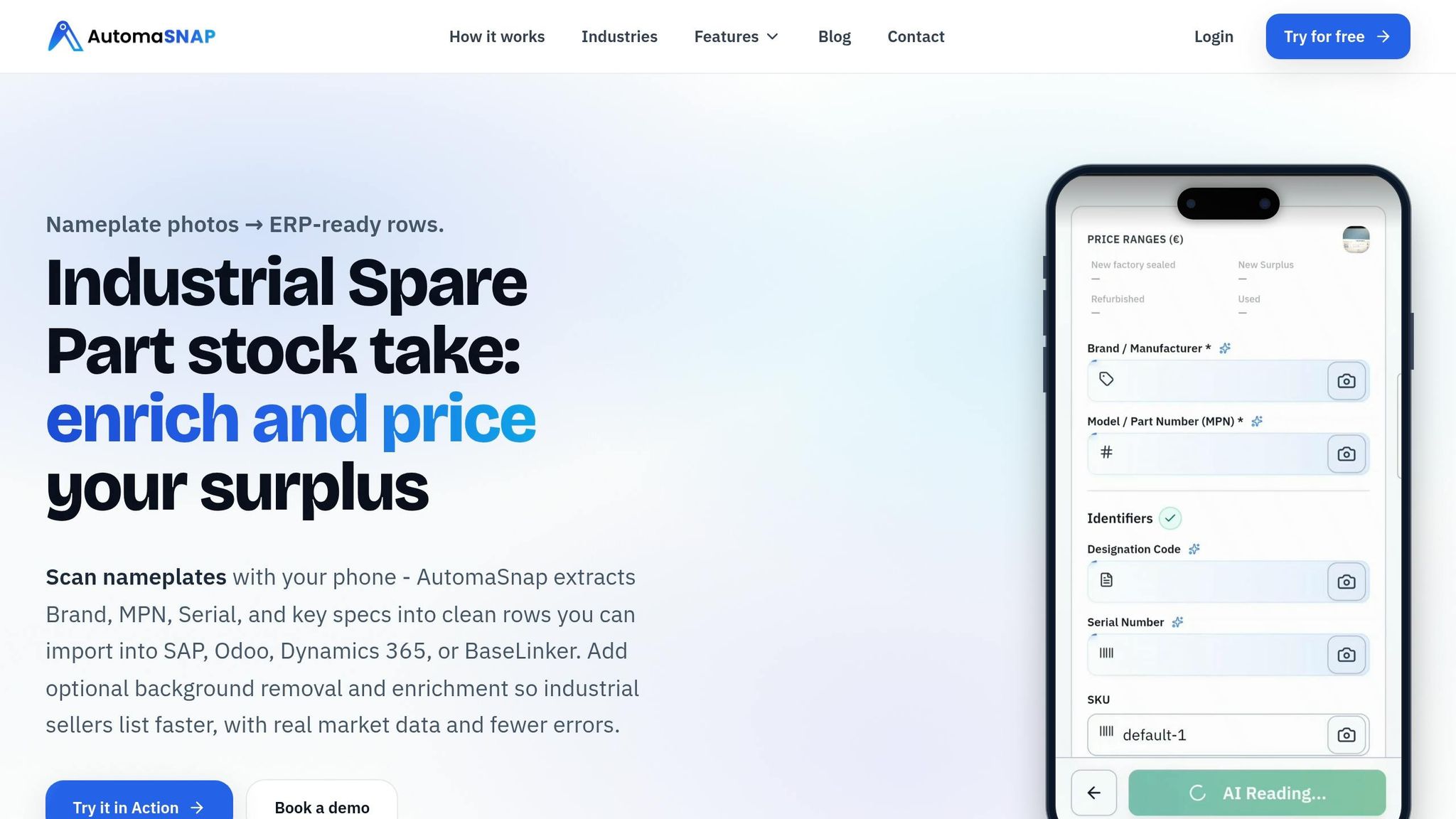
AutomaSnap simplifies the process of creating spreadsheets tailored for ERP systems like SAP, Odoo, Dynamics 365, and BaseLinker. By extracting critical details from nameplate photos, it organizes the data into a format that’s ready for import - no extra reformatting needed. This ensures that spare parts records, which are essential for operational accuracy, are prepared with minimal effort.
The tool supports multiple export formats, including CSV and Excel, and can also transfer data in real time using JSON or XML through RESTful APIs. Custom field mapping allows the extracted data to align perfectly with specific ERP requirements, removing the need for middleware. Built-in validation features flag duplicates or missing fields before the data is imported, ensuring accuracy and reliability from the outset.
Each record also includes the original nameplate photo as an attachment, which serves as a compliance record. This feature is especially valuable for meeting audit requirements under regulations like the NIS2 Directive and CSRD, which demand precise inventory records and accurate energy consumption reporting for each asset.
Beyond its data integration capabilities, AutomaSnap offers additional automation tools to further enhance workflow efficiency.
Additional Automation Features
AutomaSnap speeds up inventory intake for spare parts and quoting processes. With one click, the platform can remove image backgrounds, producing clean and professional product visuals without the need for manual editing. The Quick Market Check feature provides instant pricing insights (New, Surplus, Refurbished, Used) and includes direct search links to platforms like eBay and Automa.Net, making it easier to assess demand and pricing during the intake process.
The platform also captures QR codes and barcodes in addition to nameplate data, consolidating all available identifiers into a single workflow. This eliminates the manual steps typically required for intake, streamlining the process and saving valuable time.
Main Benefits of Nameplate Recognition for Spare Parts
Faster Processing and Fewer Errors
Manual data entry eats up time and invites mistakes. Think about it: technicians often spend 10–20 minutes per part manually transferring information from physical nameplates into spreadsheets. That’s a lot of time wasted, and it creates bottlenecks. With AutomaSnap, this process takes just 40 seconds per part, speeding things up dramatically.
And it’s not just about speed - it’s about getting it right. In busy factory environments, manual transcription can lead to error rates of 4–5%, resulting in incorrect part orders, duplicate inventory records, and extended downtime. AI-powered nameplate recognition, on the other hand, achieves accuracy rates of up to 98.99%. This level of precision eliminates many of the headaches caused by human error. Some companies using AI-enhanced recognition have seen asset identification times cut by as much as 50%, even in tough industrial settings. The result? Faster workflows, fewer mistakes, and noticeable cost savings.
Lower Inventory Costs
Mistakes in data entry and duplicate records often force warehouses to stockpile extra parts “just in case”, tying up both money and space. These inefficiencies drive up operational costs, but automation offers a way out.
By accurately identifying and cataloging every spare part in the ERP system, nameplate recognition helps reduce inventory levels by around 30%. This happens through better deduplication and more accurate demand forecasting. On top of that, AutomaSnap’s Quick Market Check feature gives procurement teams instant access to pricing for new, surplus, refurbished, and used parts. This allows smarter purchasing decisions, reducing the risk of overstocking while still meeting demand.
Better Maintenance and Procurement Planning
Accurate data doesn’t just save time and money - it reshapes maintenance and procurement strategies. Reliable spare parts data is the backbone of effective maintenance planning. When technicians can quickly verify the correct machine and pull real-time serial number details, the Mean Time to Repair (MTTR) drops by an average of 38%. This ensures the right part is delivered when it’s needed, avoiding costly delays caused by incorrect orders.
Modern Vision-Language Models take it a step further by interpreting technical details automatically. For example, they can recognize that “kW” refers to power ratings, not serial numbers, giving procurement teams confidence in the data they rely on. Companies like Gal-Industry have seen firsthand how automating processes with AutomaSnap can eliminate bottlenecks and streamline operations, proving that better data quality translates to smoother workflows.
Conclusion
Managing spare parts data doesn’t have to feel like an uphill battle anymore. Nameplate recognition technology creates a seamless connection between physical equipment and digital ERP systems by eliminating the “analog gap” caused by manual transcription errors and delays.
This connection is powered by advanced automation. Tools like AutomaSnap handle data capture directly from nameplate photos, delivering ERP-ready spreadsheets in formats like CSV, JSON, and XML. This means procurement teams can skip the manual entry process and upload clean, accurate data into systems like SAP, Odoo, Microsoft Dynamics 365, or Oracle. At just $0.50 per part for volumes under 500, it’s a cost-effective alternative to manual entry, which can cost around $27 per hour.
Even better, modern Vision-Language Models outperform traditional OCR methods. These models can interpret context, recognizing that “kW” refers to power ratings rather than serial numbers, ensuring precise data extraction.
With repair times reduced by 38% and hundreds of hours saved, the advantages are undeniable. Companies like Gal-Industry have already streamlined their operations by automating their intake processes with AutomaSnap. For spare parts distributors, manufacturers, and asset recovery teams, adopting this technology is a game-changer for maintaining accurate, efficient, and compliant digital inventories.
FAQs
What nameplate fields should my ERP capture for spare parts?
To keep spare parts management accurate, your ERP system should record essential nameplate details, such as:
- Brand
- MPN (Manufacturer Part Number)
- Serial Number
By including these fields, you can organize data more effectively and maintain better control over your inventory.
How does AI read damaged or dirty nameplates accurately?
AI leverages advanced vision-language models and algorithms to pull data from damaged or dirty nameplates with impressive precision. These technologies can swiftly identify parts, even from compromised images, boasting accuracy rates of up to 98.99%.
How do I import nameplate data into SAP, Odoo, or Dynamics 365?
To bring nameplate data into your system, tools like AutomaSnap can make the process a lot easier. This AI-powered tool extracts important details - such as Brand, MPN (Manufacturer Part Number), and Serial Number - directly from nameplate photos. The result? A spreadsheet that’s ready to upload into your ERP system.
Once you have this file, upload it into your ERP platform (whether it’s SAP, Odoo, or Dynamics 365) using the system’s data import module. Just double-check that all fields are properly mapped to align with your ERP’s format. This step ensures everything integrates smoothly without errors.