AI nameplate scanner. Part numbers and specs in seconds.

Nameplate scanning with AI, from your phone. Photograph the plate and the scanner recognises the part number (MPN), Brand, Serial and specs as editable fields, not a block of text. No retyping, no templates, no hardware. Export to Shopify, Odoo, BaseLinker, eBay, WooCommerce - or CSV for any spreadsheet.

No call required - see results in the app in seconds.

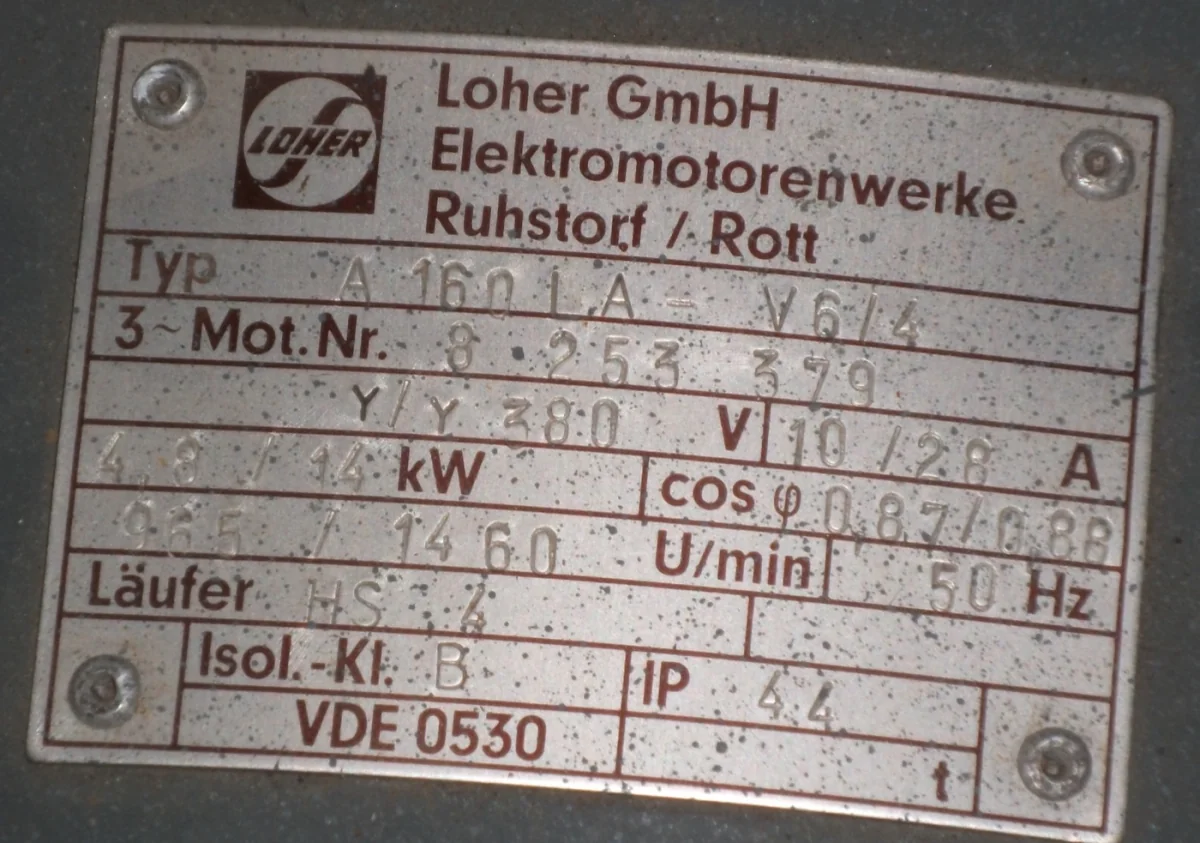
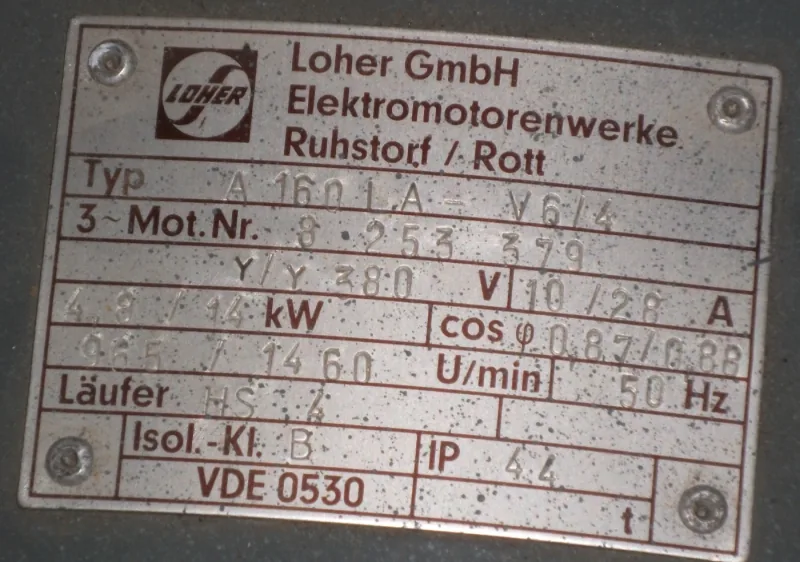
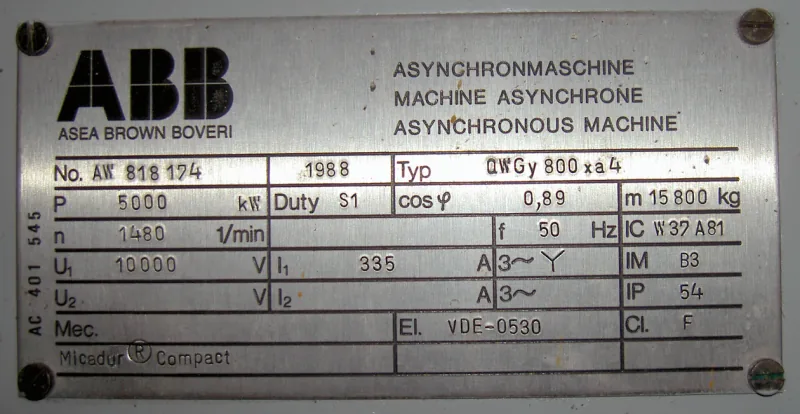
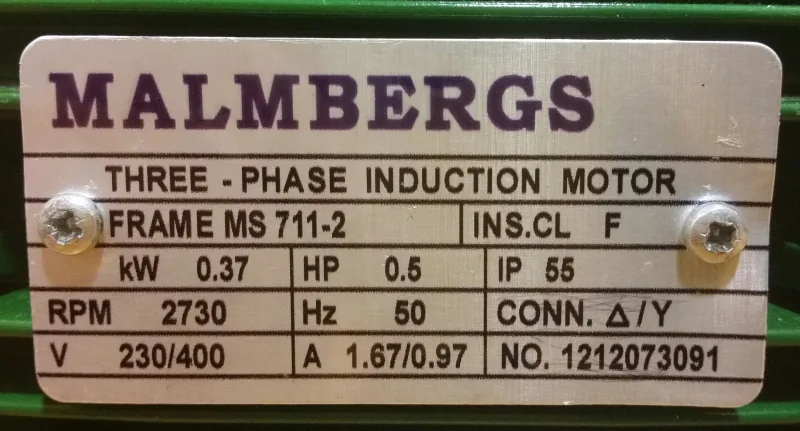
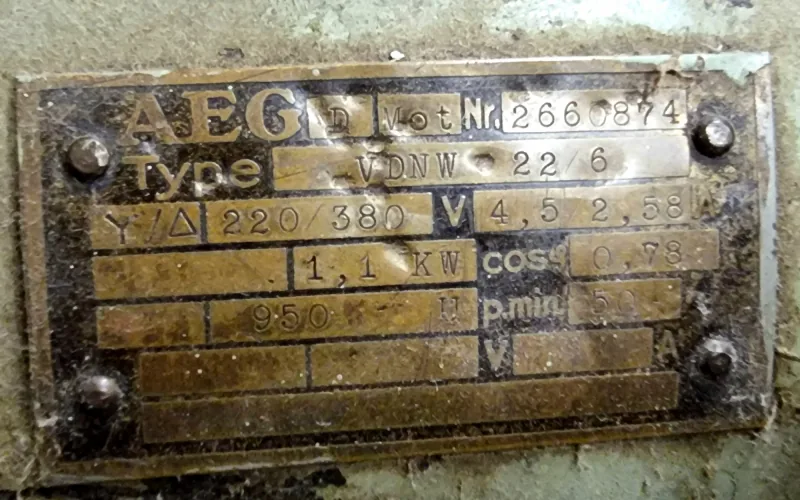
AI nameplate scanner extracting part number, brand and serial from a nameplate photo

Nameplate scanning: from plate photo to clean data

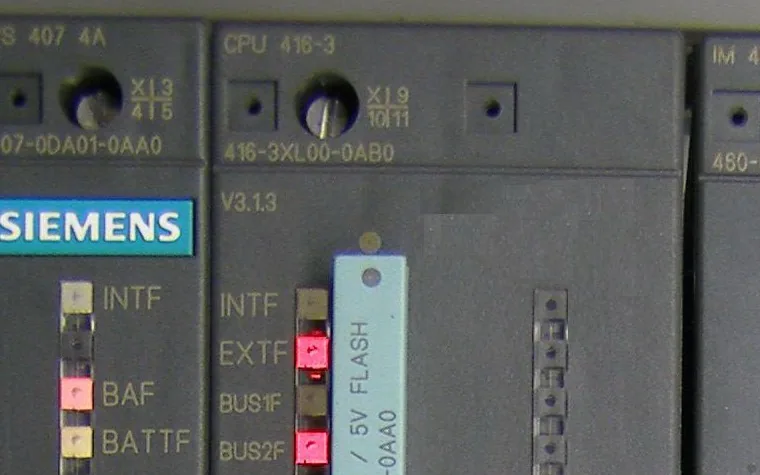
The scanner is built for real nameplates: scratched, angled or partly dirty. Part number recognition returns separate fields (Brand, MPN, Serial, voltage, power), so you can fix anything before export.

You take this photo

Example Siemens motor nameplate — this is what you photograph
AI reads the photo

You get these fields (editable)

Brand
Siemens
MPN
1LA6 186-0BB40
Serial
E 1701/1410842 001 001
Weight
179 kg

Specifications

Type
3-Phase Pole-Reversible Motor
Power
5/18 kW
Speed
725/1460 rpm
Frame Size
180L
Mounting
B3 (Foot)
Protection
IP54
Shaft Ø
48 mm

Nameplate scanning examples: what the AI pulls from each plate type

Industrial nameplates do not share a layout. A motor plate, a drive sticker and a gearbox tag put the same information in different places and in different words. The OCR reads the label in context, so you get the same columns whatever the plate looks like.

Electric motor

Cast or riveted plate on the motor housing. Often painted over, greasy or angled.

Brand
Siemens
MPN / Type
1LA7 130-4AA10
Serial
E0512/4051233 01 001
Specs
5.5 kW · 400 V Δ/690 V Y · 11.2 A · 1455 rpm · 50 Hz · IP55 · frame 132S · IM B3

Frequency inverter / drive

Sticker on the side of the drive with a dense block of input/output ratings.

Brand
Danfoss
MPN / Type
FC-302P7K5T5E20H1
Serial
011234G567
Specs
7.5 kW · IN 3x380–480 V 16 A · OUT 3x0–Vin 16 A 0–590 Hz · IP20

Gearbox / gearmotor

Stamped aluminium plate with ratio, torque and mounting position. Small type and heavy wear are typical.

Brand
SEW-Eurodrive
MPN / Type
R47 DRS71M4
Serial
01.1234567801.0001.19
Specs
i = 23.79 · n2 = 58 rpm · Mn = 90 Nm · 0.37 kW · M1 · CLP 220

PLC / controller module

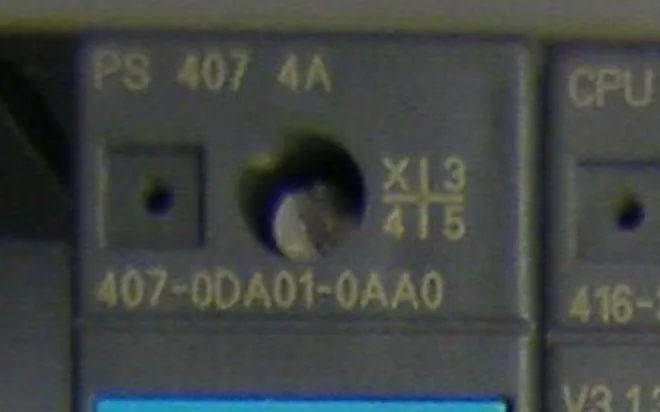
Printed label on the module side. Order number, serial and firmware sit next to each other.

Brand
Siemens
MPN / Order no.
6ES7 214-1AG40-0XB0
Serial
S C-L2AB12345
Specs
CPU 1214C DC/DC/DC · FS 04 · FW V4.5 · 24 V DC

Pump

Plate on the pump head or motor with flow, head and power. Often corroded or wet.

Brand
Grundfos
MPN / Type
CR 10-06 A-A-A-E-HQQE
Serial
P1 1234 5678
Specs
Q = 10 m³/h · H = 42 m · P2 = 2.2 kW · 2900 rpm · 400 V · IP55

Sensor, valve, pneumatics

Tiny laser-etched label on a cylinder, valve or sensor. Order code and serial are all that fits.

Brand
Festo
MPN / Order code
DSBC-50-100-PPVA-N3
Serial
1234567 R408
Specs
p max 12 bar · Ø 50 mm · stroke 100 mm · G1/4

Example values shown for illustration. Every extracted field is editable in the app before you save or export.

Part number recognition and nameplate data extraction: every field, and the column it lands in

Raw OCR gives you a block of text. Nameplate data extraction gives you labelled fields that match the columns in your ERP import or marketplace feed. This is what one scan returns and where each value goes in the sample CSV.

Field What the AI reads Example Export column
Brand / manufacturer Logo or printed maker name, normalised to one spelling (e.g. “SIEMENS AG” → Siemens). Siemens brand
MPN / type code Order number, type designation or model code. Keeps dashes, slashes and spaces as printed and adds a serialised copy for matching. 3RV2011-1KA10 mpn, serializedMpn
Designation code Product family or short description printed next to the type (e.g. “SIRIUS motor starter”). SIRIUS motor starter designationCode
Serial number Unit ID printed as S/N, Nr., Fabr.-Nr., Ser. No. or inside a code block. Distinguished from the MPN by context, not by position. SN23Q4-2B8D91F serialNumber, serializedSerialNumber
Electrical ratings Voltage, current, frequency, power (kW / HP), cos φ, insulation class. Units are kept with the value. 400 V · 5.5 kW · 11.2 A · 50 Hz specifications
Mechanical data Speed, torque, ratio, frame size, mounting position, shaft diameter, weight, flow and head on pumps. 1455 rpm · frame 132S · IM B3 · 32 kg specifications
Protection & compliance IP rating, ATEX / Ex marking, CE, UL, CSA, RoHS and other marks printed or embossed on the plate. IP55 · CE · UL specifications
Barcodes, QR and DataMatrix Decoded payload of codes on the same label, so a serial hidden in a DataMatrix still lands in the row. See QR & Barcode Reader 1P6ES7214-1AG40-0XB0+S… serialNumber / mpn
EAN / UPC, category, listing copy Not printed on the plate. Added from product data after the scan. See Data Enrichment 4011209345817 · Motor Control productEan, productUpc, productCategoryNames, listingTitle

From photo to structured fields

Three steps: capture the nameplate, get structured data (columns you can edit and export, not a block of text), then export to your platform or spreadsheet.

Step 1: Capture

Photo in real conditions

Open the app in your phone browser and take a photo. No install, no special lighting.

Step 2: Review

Data pops out

Brand, MPN, Serial and specs appear as editable fields. Click any value to correct it. You stay in control before export.

Step 3: Export

Export to your tools

Use platform export (Shopify, WooCommerce, Odoo, BaseLinker, eBay, PrestaShop) or download CSV/JSON for any spreadsheet. Same columns every time - map once and reuse.

Import-ready files for the channels you sell on. Direct publishing to eBay.

  • Shopify Import file
  • WooCommerce Import file
  • PrestaShop Import file
  • Odoo Import file
  • BaseLinker Import file
  • CSV / Excel Any spreadsheet
  • eBay Direct publishing
  • automa.net Direct publishing

Classic OCR vs an AI nameplate scanner

Classic OCR converts pixels into characters. An AI nameplate scanner uses a vision-language model that reads the plate the way a technician does: it finds the text, works out what each value means, and returns it as a named field. That difference is what removes the retyping step.

Feature Template-based OCR AI nameplate scanner (AutomaSnap)
Nameplate layout Needs a zone template per plate design. A new supplier or plate revision means a new template. Layout-agnostic. Reads any plate by understanding labels in context, no templates to maintain.
Output Raw text lines. Someone still has to decide which line is the MPN and which is the serial. Labelled fields: Brand, MPN, Serial, Designation code, specs. Ready for an ERP import.
Dirt, scratches, faded print Low resilience. Broken characters become wrong characters or empty output. High resilience. Reconstructs partially visible characters from the surrounding plate and flags what it cannot read.
Lighting and angle Needs a fixed setup: flat plate, even light, no glare. Handles handheld phone photos with glare, shadows and perspective. Photometric and perspective correction are built in.
Field recognition No context. “kW” next to a number is just text. Knows that the number next to kW is power, and that the value after “Nr.” is a serial, not a type code.
Mixed languages and units One language pack at a time; unit symbols and Greek letters often break. Reads German, Polish, English, Italian and other labels on the same plate, keeps units with values.
Best fit Thousands of identical labels from one printer, e.g. shipping labels or invoices. Spare parts, surplus stock, teardown and MRO, where every plate is different.

When classic OCR is enough

You scan the same label format all day, the printer is clean, the camera is fixed, and you only need the text, not structured fields. Document scanning and shipping labels fit this profile.

When you need AI nameplate scanning

Plates come from dozens of manufacturers, are photographed by hand on the shop floor, and the result has to go straight into an ERP, a marketplace listing or a stock-take sheet as Brand, MPN and serial. Manual transcription runs at a 4–5% error rate; a wrong MPN means the wrong part gets ordered.

Built for the messy reality of the warehouse

Worn labels, bad light, dust - we’re built for it. One photo per nameplate gives you fields you can trust and export, without the rework.

Spare parts & distribution

Stop retyping from paper lists and blurry photos. One photo per nameplate, fields filled - fewer typos, less eye strain.

Teardown & asset recovery

Document as you strip. Photograph each label, add a condition note, and keep a searchable list with photo proof for every item.

MRO & production

Faded, greasy or engraved text is still legible to the model, so the field you save matches what's actually stamped on the plate - not what someone guessed while typing fast.

AI nameplate scanning for industrial equipment: what you need to know

An AI nameplate scanner uses a vision-language model to read and interpret the text on equipment tags, even under poor lighting, glare or wear. It replaces manual transcription, which typically runs at a 4–5% error rate, with structured fields you review once and export. Resellers using AutomaSnap have cut per-item intake from over 10 minutes to seconds.

How AI nameplate scanning and part number recognition work

The model does more than read; it interprets. It first locates the text regions on the plate, corrects the perspective of an angled photo and compensates for uneven lighting. Then it reads the characters and, in the same pass, works out what each value means from the surrounding labels and units. A number next to “kW” becomes power output, the value after “Nr.” becomes the serial number, and the long code in the middle of the plate becomes the MPN.

Because the model reasons about context rather than fixed coordinates, it is layout-agnostic. A Siemens motor plate, a Danfoss drive sticker and a Festo cylinder label all come back as the same set of columns, with no templates to build or maintain. The output is not a text dump but labelled fields: Brand, MPN, Designation code, Serial and a specifications block.

Structured fields instead of raw text

Extracting text is only half the job. Raw OCR output is readable for a person but useless for a system that expects predefined fields, such as an ERP material master, a CMMS asset record or a marketplace feed. Without contextual understanding, even accurate OCR leaves hours of manual clean-up. AutomaSnap returns each value in its own editable field, so the review step is a glance and a tap, and the export already matches the columns of the sample CSV.

What you need on the shop floor

No scanning hardware. A mid-range smartphone camera is enough for warehouses and light industrial settings; in chemical plants or heavy manufacturing a rugged, IP-rated device protects against dust, vibration and humidity. The app runs in the phone browser, so there is nothing to install on the device or in your IT landscape.

Image quality still matters. A few habits raise accuracy on hard plates:

  • Tilt the phone slightly on reflective or metallic plates to move the glare off the text.
  • Fill the frame with the nameplate, or crop to it, so the model is not distracted by the machine around it.
  • Hold still for a moment before the shot. Motion blur on small text is the most common cause of misreads.
  • Wipe grease and dust if you can. The model copes with dirt, but fewer obscured characters means fewer edits.

Processing runs in the cloud and returns in seconds, so connectivity is the practical constraint. Map the dead zones in your facility before a roll-out; in areas without signal, capture the photo and run the extraction once you are back in range. For a deeper look at image preparation, see six tips for nameplate OCR accuracy and multi-language OCR for spare parts intake.

Where nameplate scanning fits in your workflow

Spare parts intake. A technician photographs the plate, the AI extracts Brand, MPN, serial and specs, and a human confirms the row before it goes downstream. A single typo in an MPN means ordering the wrong part; review-before-export catches that at the cheapest point.

Teardown and asset recovery. Photograph each part as it comes off the machine and you have a searchable catalogue with photo proof, instead of a clipboard list that someone types up later. The surplus stock take workflow adds a price check and export on top.

Maintenance and MRO. Scanning the plate before a repair confirms you are working on the right machine, and the same scan can update the asset record in your ERP or CMMS when the job is closed. For the wider picture, see AI for spare parts management.

Getting the data into your ERP

Every scan becomes a row with consistent columns. Export CSV or XLSX for SAP, Odoo, Dynamics 365 or any system that imports spreadsheets, or use the direct exports for WooCommerce, PrestaShop, BaseLinker and eBay. Teams that are not ready for a full integration still remove the retyping step, which is where most of the errors come from. Read how AI nameplate scanning connects to ERP systems or see the numbers in the Gal-Industry case study.

FAQ

Questions we hear about nameplate OCR, data extraction and export.

What is an AI nameplate scanner and how is it different from classic OCR?

An AI nameplate scanner reads a photo of an equipment nameplate and returns the part number, brand, serial and specs as separate fields. Classic OCR turns pixels into characters and needs a template per label layout. The scanner instead uses a vision-language model that reads the plate in context: it recognises which value is the brand, which is the MPN and which is the serial, and returns them as separate fields. No templates, and the output is ready for an ERP import instead of a block of text.

How accurate is AI OCR on dirty, scratched or faded nameplates?

The model is built for worn plates: scratches, grease, faded print and angled photos. On readable plates Brand and MPN are usually right on the first pass; on badly damaged plates the model reconstructs what it can from the surrounding text and leaves the rest for you to fix. Every field is editable before export, so a misread character is a two-second correction rather than a wrong record in your system.

Which fields does part number recognition extract from a nameplate?

Brand, MPN or type code, designation code, serial number and a specifications block with electrical ratings (voltage, current, power, frequency), mechanical data (speed, torque, ratio, frame size, mounting, weight), protection class and compliance marks. Barcodes and QR or DataMatrix codes on the same label are decoded too. EAN or UPC, category and listing copy are added afterwards with Data Enrichment.

What kinds of labels does it read?

Industrial nameplates, rating plates, product labels, and simple datasheets. We pull out Brand, MPN, Serial, voltage, power and similar attributes. The model is tuned for real - world nameplates - worn, angled or partly dirty.

What if the photo is blurry, the label is damaged, or the AI misreads a field?

You can retake the photo or correct any field directly in the app before export - no need to start over. The OCR handles imperfect conditions better than classic template - based tools, and when it does get something wrong, the fix is a two-second edit in the same screen.

Can I run a batch of nameplates?

Yes. Capture multiple nameplates; each photo becomes a row. Export is one CSV or JSON with the same columns.

Can more than one person review and correct the extracted fields?

Yes. Everyone in the same organization works from the same collection, so one person can capture nameplates in the field while someone else reviews and corrects fields before export.

How do I get data into my system or spreadsheet?

Use platform export for Shopify, WooCommerce, Odoo, BaseLinker, eBay, PrestaShop - or download CSV/JSON for Excel, Google Sheets, or any system that accepts spreadsheets. Column layout is consistent; map once and reuse. Download the sample CSV to see the format.

Does nameplate scanning work without Wi-Fi or cell service?

The app runs in your phone browser with nothing to install. Extraction itself runs in the cloud and needs a connection, so in dead zones take the photos first and run the extraction once you are back in range. Map weak-signal areas before a roll-out.

Does it read nameplates in other languages?

Yes. German, Polish, English, Italian, French and other labels on the same plate are read together, and units such as kW, Nm, m³/h or cos φ stay attached to their values.

Is there a free trial?

Yes. Sign up in the app and try the OCR with no credit card. One photo is enough to see the extracted fields.

Point your camera at a nameplate and see what comes back.

Take a photo in the app on your phone - same browser, nothing to install first.

View all features

Gal-Industry warehouse team

Customer Success Story · Industrial surplus reseller

How Gal-Industry accelerated onboarding and increased inventory turnover.

By automating intake and listing creation, Gal-Industry eliminated manual transcription and turned incoming inventory into sellable records faster.

Customer Success Story · Industrial automation distributor

How ADEGIS enriched product data and scaled e-commerce listings.

ADEGIS uses AutomaSnap to capture specs from nameplates, clean photos and prepare marketplace-ready listing data with a lean operations team.

ADEGIS

See all case studies