On this page
AI OCR for Nameplates: What You Need to Know
AI OCR for industrial nameplates uses advanced Vision-Language Models (VLMs) to read and interpret text on equipment tags, even under challenging conditions like poor lighting or wear and tear. This technology replaces error-prone manual transcription, helping businesses save money and time. Key benefits include:
- Error Reduction: Manual transcription has a 4-5% error rate, costing businesses millions annually.
- Contextual Understanding: AI OCR identifies fields like brand, part numbers, and technical specs without needing rigid templates.
- Improved Efficiency: Automates tasks like speed up inventory intake for spare parts and maintenance workflows, cutting processing times significantly.
- Simple Hardware Needs: Works with smartphone cameras, though rugged devices are recommended for harsh environments.
- ERP Integration: Outputs structured, labeled data compatible with systems like SAP and Dynamics 365.
For example, companies using tools like AutomaSnap have reduced item processing times from 10 minutes to seconds, boosting productivity by 15x. AI OCR is transforming how businesses manage physical assets, ensuring accuracy and efficiency in inventory and maintenance workflows.
How AI OCR Works for Industrial Nameplates
Key Features of AI Nameplate OCR
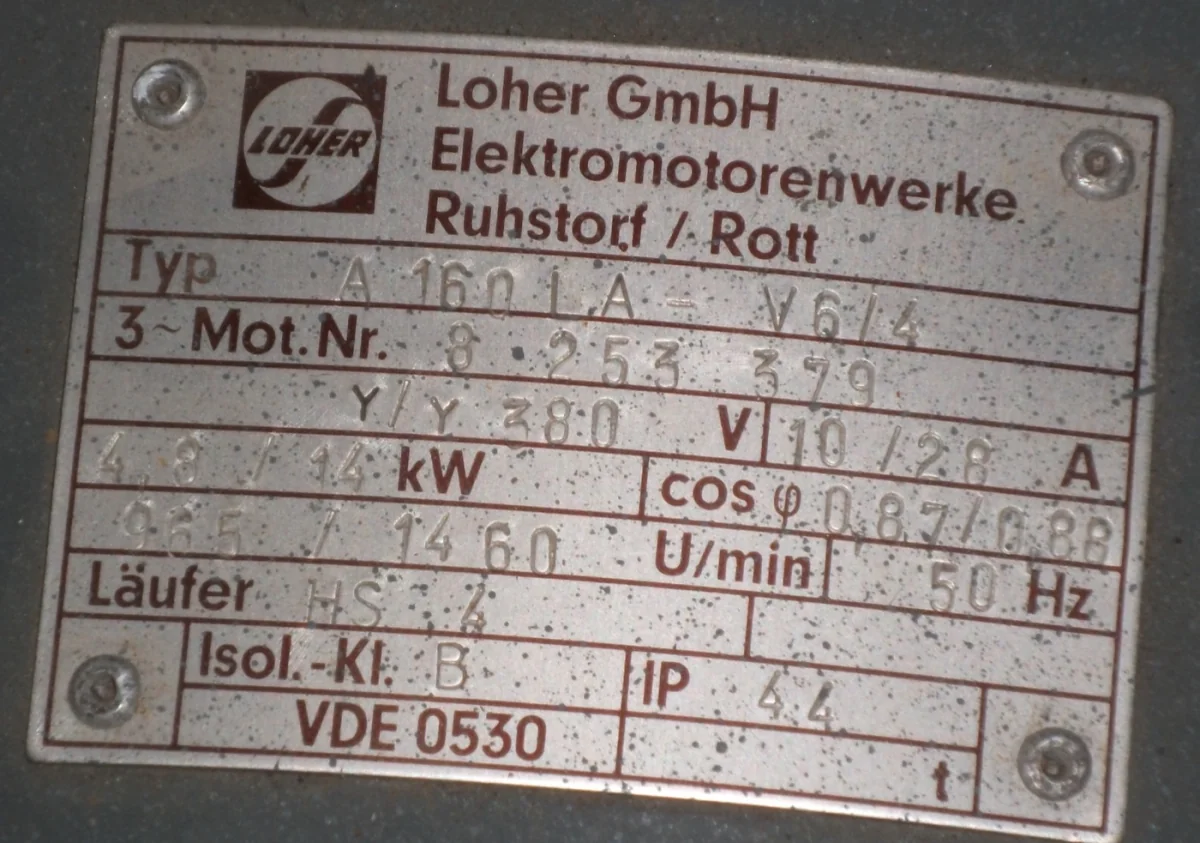
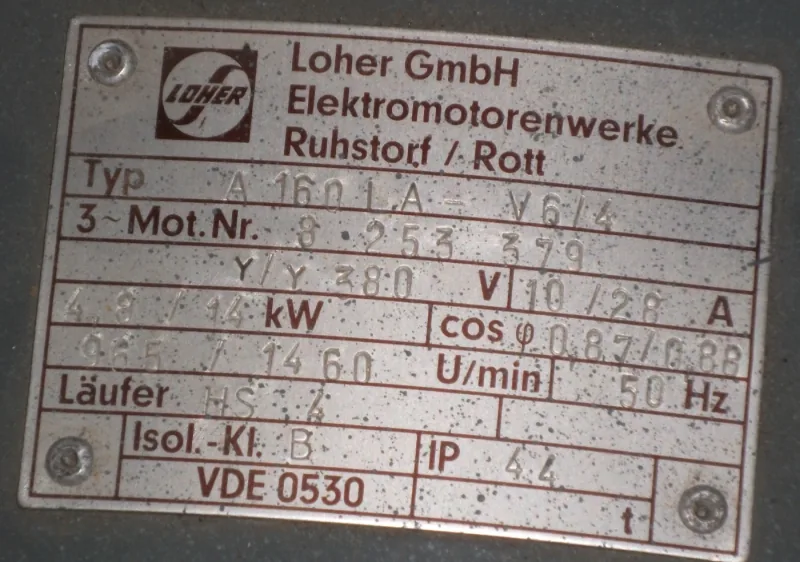
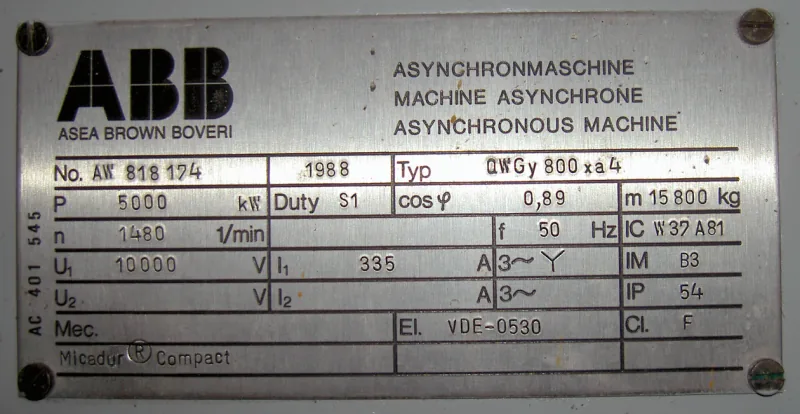
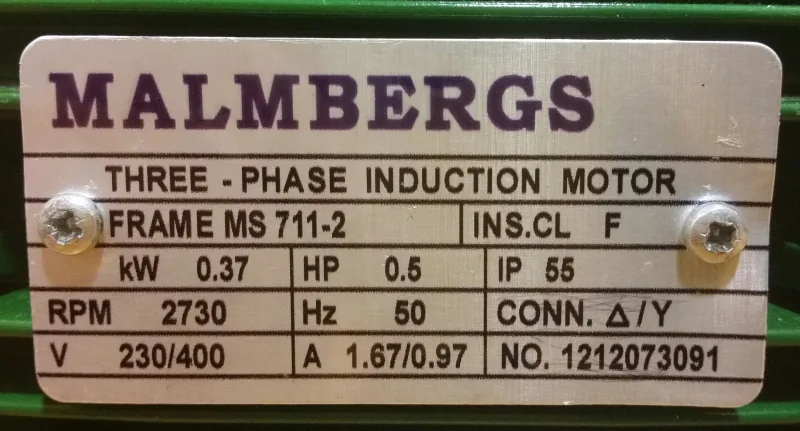
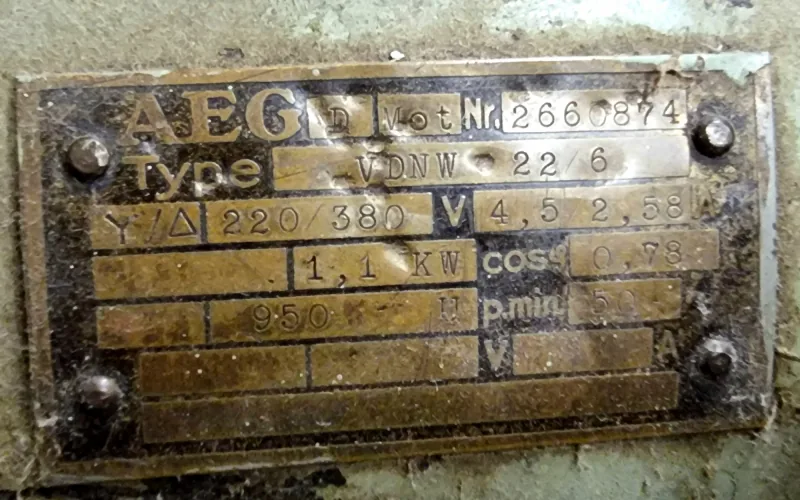
AI OCR does more than just read - it interprets. At its core is a Vision-Language Model (VLM) that processes nameplate images in several steps. First, it identifies text regions, segments lines using tools like DBNet, and corrects angled text with a warping perspective algorithm. This ensures the text is clean and aligned for precise recognition. The system is trained using synthetic images that mimic real-world challenges, such as scratches, corrosion, and poor lighting, making it highly reliable even in tough conditions. On top of that, photometric AI compensation adjusts for uneven lighting, ensuring clarity.
Once the text is extracted, the next hurdle is organizing that data so it can be immediately used by systems on the shop floor.
Structured vs. Unstructured Data Output
Extracting text is only half the battle - how that text is organized determines its usability.
A key distinction lies between raw text output and structured, labeled data. Raw text might be readable to humans but is often unusable for systems that require predefined fields, like inventory or maintenance software. A VLM bridges this gap by recognizing the layout and context of the nameplate. For example, it knows that a number next to “kW” refers to power output rather than a serial number. Without this contextual understanding, even the most accurate OCR can leave users with hours of manual data cleanup.
Why AI-Based OCR Works Better Than Template-Based Methods
AI OCR goes beyond extraction and structuring, outperforming traditional template-based systems in accuracy and adaptability.
Template-based OCR relies on predefined “zone maps” for each nameplate design, making it effective only when nameplates follow identical layouts. AI OCR, on the other hand, is layout-agnostic. Instead of fixed coordinates, it interprets labels using context, making it far more versatile. This adaptability has practical advantages. For instance, TUEG Schillings GmbH, a German company operating in harsh chemical environments, adopted AI-enhanced asset identification and cut equipment identification time by 50%. Such improvements are nearly impossible with rigid, template-dependent systems.
| Feature | Template-Based OCR | AI-Based OCR (VLM) |
|---|---|---|
| Resilience to Dirt/Damage | Very Low | Very High |
| Field Recognition | No contextual insight | Full contextual understanding |
| Lighting Requirements | Needs specific setup | Photometric AI compensation |
| Nameplate Layout Flexibility | Rigid templates required | Layout-agnostic |
sbb-itb-8349e5c
What You Need to Implement Nameplate AI OCR
Hardware Requirements on the Shop Floor
You don’t need fancy scanning equipment to get started - most modern smartphone cameras can handle nameplate scanning just fine. However, the shop floor environment brings its own set of challenges. Dust, vibrations, metallic glare, corrosion, and high humidity can all interfere with both the hardware and the quality of the images you capture.
For standard warehouse or light industrial settings, a mid-range smartphone usually gets the job done. But in tougher environments like chemical plants or heavy manufacturing floors, it’s worth investing in a rugged device with an IP-rated enclosure. These devices not only withstand harsh conditions but also help maintain operational efficiency. For instance, technicians using mobile scanning to confirm equipment identity on-site have reported a 38% reduction in Mean Time to Repair (MTTR). Once you’ve got the right hardware, the next step is ensuring you capture the best possible images for the OCR to work effectively.
How to Get the Best Image Quality
The quality of your images plays a huge role in how well the AI OCR performs. Even the most advanced OCR systems can struggle with blurry, poorly lit, or angled photos.
Here are some tips to improve your results:
- Slightly tilt the device when scanning reflective or metallic nameplates to cut down on glare.
- Use the camera’s Region of Interest (ROI) feature or manually crop the photo to focus on the nameplate, avoiding distractions like surrounding machinery.
- Hold the device steady before taking the shot - motion blur on text is one of the most common reasons for errors.
Many modern VLM-based systems include photometric AI that automatically adjusts for uneven lighting. This means better image clarity, which leads to faster processing and higher accuracy. Once you’ve nailed the image capture process, the next hurdle is ensuring reliable connectivity on the shop floor.
Connectivity and Latency on the Shop Floor
Cloud-based AI OCR systems rely on internet connectivity, which can introduce slight delays. However, modern VLM systems are impressively fast, often delivering results in milliseconds. This is usually quick enough for tasks like inventory management or maintenance workflows.
The real challenge is reliable connectivity. Some areas in a facility - like underground levels or deep interior sections - might have poor Wi-Fi or cellular reception. If your shop floor has dead zones, it’s worth mapping them out before rolling out a mobile scanning solution. Many platforms now offer offline capture with queued sync, which lets technicians scan nameplates without connectivity and upload the data once they’re back online. This hybrid approach ensures workflows stay efficient without compromising data accuracy.
Integrating AI OCR with Inventory and Maintenance Workflows
Automating Spare Parts Intake
Handling spare parts manually is not just slow - it’s prone to mistakes that can cost companies dearly. Imagine this: a single typo in a Manufacturer Part Number (MPN) could lead to ordering the wrong part entirely. That’s a costly error no business wants to make.
AI OCR transforms this process into a much simpler, three-step workflow. First, a technician snaps a photo of the nameplate using a smartphone. Then, the AI extracts key details like Brand, MPN, Serial Number, and technical specifications in just seconds. Finally, a human-in-the-loop review ensures accuracy, catching any edge cases before the data progresses downstream.
The numbers speak for themselves. On average, manual data entry costs companies $28,500 per employee every year. By automating this process, businesses not only save money but also scale their operations more efficiently. This streamlined system sets the stage for smoother digital workflows on the shop floor.
Digitizing Shop-Floor Processes
AI OCR doesn’t stop at intake - it redefines how shop-floor processes are managed. Take asset recovery and teardown operations, for example. Instead of scribbling down part details or relying on memory, technicians can simply photograph parts as they’re removed from equipment. This creates an instant, searchable digital catalog. No more misplaced paper records or wasted time.
Maintenance workflows also benefit greatly. Scanning a nameplate before starting a repair ensures technicians are working on the correct machine. When integrated into a closed-loop maintenance system, these scans can automatically update ERP inventory records after repairs are completed. The result? A 38% reduction in Mean Time to Repair (MTTR).
Exporting and Integrating OCR Data
Once the data is captured and digitized, the next step is integration. Modern AI OCR platforms make this process seamless by generating spreadsheets that align perfectly with ERP systems like SAP, Odoo, and Microsoft Dynamics 365.
Take AutomaSnap, for example. It’s designed specifically for this kind of workflow. AutomaSnap extracts key fields like Brand, MPN, and Serial Number from nameplate images, removes unnecessary background clutter, and generates structured spreadsheets ready for ERP systems such as SAP, Dynamics 365, Odoo, and BaseLinker. It even performs quick market checks, providing direct search links to verify pricing and demand before parts are added to inventory.
Here’s a real-world example: Gal-Industry, an industrial automation reseller, started using AutomaSnap in April 2026. They saw a 15x boost in listing speed, cutting the time to onboard a single item from over 10 minutes of manual effort to just seconds.
For teams that aren’t yet ready for full ERP integration, even having a clean, structured spreadsheet export can be a game-changer. It eliminates the need for retyping and drastically reduces errors further down the line.
Key Takeaways
What Inventory and Maintenance Managers Should Know
AI OCR technology for industrial nameplates offers practical solutions to the expensive mistakes caused by manual transcription. With error rates of 4-5%, organizations lose about $15 million annually. These errors often lead to ordering incorrect parts, delays in repairs, and excess inventory.
Modern AI OCR tools go beyond the limitations of older systems. They provide structured data with clearly labeled fields - like Brand, MPN, Serial Number, voltage, and power - that integrate seamlessly into your existing systems. Unlike traditional OCR tools, today’s Vision-Language Models can accurately process nameplates that are scratched, dirty, or viewed at an angle, even under less-than-ideal lighting conditions.
For maintenance teams, this means faster and more precise work. Scanning a nameplate before starting a repair ensures you’re working on the correct machine. Feeding that scan directly into your ERP automates the process - eliminating the need for clipboards, retyping, or second-guessing. AutomaSnap takes this a step further by optimizing inventory workflows for even greater efficiency.
How AutomaSnap Simplifies Inventory Workflows

AutomaSnap transforms the process of turning a nameplate photo into an ERP-ready record in seconds. It directly addresses the manual errors and data quality challenges highlighted earlier. The tool extracts key details like Brand, MPN, and Serial Number from shop-floor images, removes unnecessary backgrounds, and exports structured spreadsheets compatible with systems like SAP, Odoo, Dynamics 365, and BaseLinker.
The impact is clear. For instance, Gal-Industry, an industrial automation reseller, reduced their per-item processing time from over 10 minutes to just seconds after adopting AutomaSnap - achieving a 15x increase in listing speed. As their Operations Manager Bartek explained:
“AutomaSnap modernized how we work. Nameplate data flows into our system instantly and accurately… the time we used to spend on manual tasks is now invested in growing the business.”
AutomaSnap also includes built-in market checks, offering direct search links to verify pricing and demand before parts are added to inventory. This small but powerful feature saves time, especially during surplus or asset recovery workflows. Plus, with a free trial available - no credit card required - you can easily compare it to your current process before making a decision.
FAQs
How accurate is AI OCR on dirty or damaged nameplates?
AI-powered OCR tools, such as AutomaSnap, are built to process nameplates that are scratched, dirty, worn, or even positioned at awkward angles. By leveraging advanced AI models, these tools use contextual understanding to extract information accurately, even from damaged or hard-to-read labels. Accuracy rates typically range between 90% and 98%. If the AI encounters uncertainty, AutomaSnap allows you to manually edit the fields within the app before exporting, ensuring the final data is both precise and dependable.
Can AI OCR output ERP-ready fields like MPN and serial number?
AutomaSnap’s AI OCR technology captures Brand, MPN, and Serial Number directly from nameplate photos, turning them into structured, editable fields - much more than just plain text. You can easily review or adjust the extracted data and export it into a polished, ERP-ready spreadsheet or CSV file for smooth integration.
Will nameplate scanning work without Wi-Fi or cell service?
AutomaSnap’s nameplate OCR operates directly through your phone’s web browser - no installation or setup is needed. However, for features like real-time processing and integrations, a reliable network connection is essential. Without Wi-Fi or cellular service, some functionalities might be limited.